


Baby Panda's Art Classroom
3.875.00 Reviews
App Specs
- Version
- 8.73.00.00
- Updated On
- License
- Free
- Downloads
- 10,000,000+
- Developer
- BabyBus
- Categories
- Educational
- Platform
- Android, iOS
Screenshots
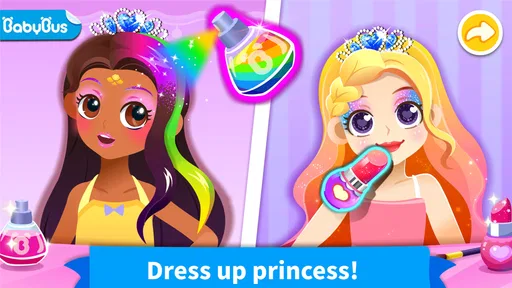
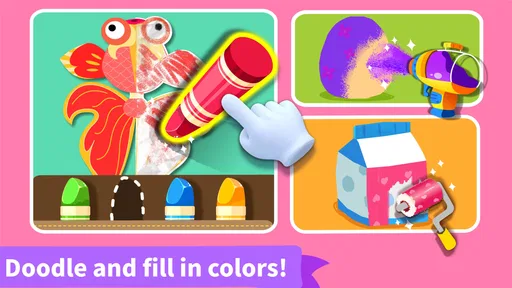
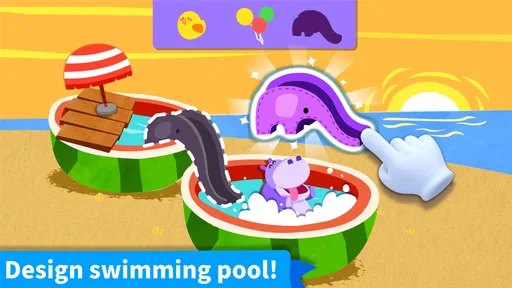
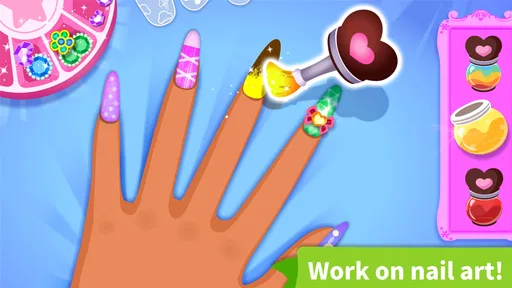
 Analysis by AppCompare
I’d treat Baby Panda’s Art Classroom as a playful starting point for making things on a screen, rather than a replacement for paper, paint, or a structured art lesson. Its appeal is straightforward: children can draw, color, and try craft-style activities in a child-focused game from BabyBus. I find that combination most useful when a child wants a creative activity but an adult needs something simple to get started with.
How it fits into a child’s routine
This is an educational game for Everyone, and its drawing-and-crafting focus gives it a different feel from games built around racing, collecting, or high scores. I’d reach for it during a short wait, a quiet stretch at home, or a rainy afternoon when setting up real art supplies would be inconvenient. A child can explore a creative prompt without needing a table covered in materials, while an adult can sit nearby and talk about the choices being made.
One useful way to use it is to turn an activity into a conversation rather than letting the screen do all the work. Ask a child why they chose one color, what shape they want to add next, or how they might make a digital design look different. That keeps the focus on their decisions, not on finishing quickly. It also helps parents see whether the child enjoys open-ended experimenting or prefers being guided through a task.
Who is likely to enjoy it
I’d recommend it most to young children who like making pictures and trying craft-like ideas, especially those who are still building confidence with creative play. A friendly, approachable art game can make it easier for a hesitant child to begin: there is no blank sheet of expensive paper to worry about, and experimenting on a screen feels low-pressure. It may also suit families who want a digital activity that invites discussion instead of demanding constant competition.
It is less suitable for a child who wants a serious drawing program with precise control, layers, or a professional-style workflow. It is also not the right choice if the goal is to practice with physical scissors, pencils, glue, or paint; virtual crafting cannot teach the same handling skills. For those needs, I’d pair the game with simple real-world materials or choose a more advanced art tool for an older child.
A small but helpful way to guide play
Rather than handing over the device and expecting a long stretch of independent activity, I’d start by exploring together. Let the child choose what to make, then invite them to explain one choice. After that, step back and let them continue at their own pace. This brief handoff gives a parent a chance to learn what the child can navigate comfortably without turning a playful activity into a lesson.
It can also help to set a simple endpoint before opening the game: make one picture, try one craft, or spend a little time experimenting, then move on to another activity. That makes the app easier to fit into a family routine and avoids treating screen time as an open-ended default. If the child becomes frustrated by a task, I’d switch to a freer drawing activity or take a break rather than insisting they finish.
Worth Reading Before You Choose

EA SPORTS FC Mobile 26 Is a Bigger Football Game, but It Takes Time

Flipboard Shows What News Apps Must Do Beyond the Feed

Switching to Android Auto Means Rethinking Your Driving Routine

Google Calendar Makes a Crowded Week Easier to Manage

Ludo King Makes the Most of the Minutes Between Plans

Baby Panda World Brings Quick Play to Modern Phones, but Its Game Library Feels Busy
If you’re on the lookout for an app that combines creativity, education, and fun in one vibrant package, then let me introduce you to Baby Panda's Art Classroom. This delightful app is a playground for little artists, engaging them in a world full of colors, shapes, and imagination. I’ve spent some time exploring every nook and cranny of this app, and I’m excited to share my thoughts with you.
Unleashing Creativity
First off, let's talk about what makes Baby Panda's Art Classroom stand out—it’s all about nurturing creativity. The app is designed to inspire children to explore their artistic skills in a way that's both educational and entertaining. From drawing and painting to crafting and designing, there's a plethora of activities that keep kids engaged. It's like having an entire art studio right in your pocket!
When you open the app, you're greeted with a friendly interface that’s super easy for kids to navigate. The cheerful panda guide walks kids through every activity, making sure they’re never lost or confused. I found this especially helpful in encouraging independent play, allowing kids to explore at their own pace.
Features That Spark Joy
The app is packed with features that cater to every burgeoning artist. One of the highlights is the variety of tools available. Kids can experiment with brushes, crayons, and stamps, each offering a unique texture and effect. The color palette is extensive, allowing for endless creativity. I was pleasantly surprised by the quality of the digital drawing tools, which are responsive and smooth.
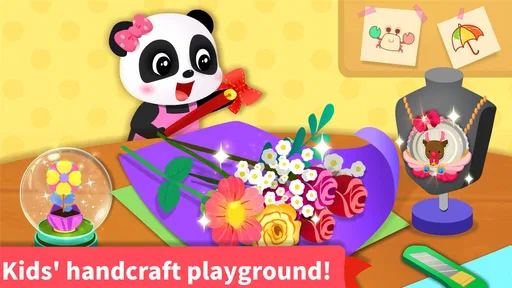
Another feature that's a big hit is the crafting section. Here, children can create virtual crafts, such as folding digital origami or designing their own stickers. This not only boosts their fine motor skills but also their ability to follow instructions and think creatively. I could see how this part of the app could easily become a favorite for many kids.
Educational Value
While fun is at the heart of Baby Panda's Art Classroom, there's plenty of educational value packed in as well. The app subtly incorporates lessons in color theory, basic geometry, and even some art history. Kids can learn about famous paintings and try their hand at recreating them, which is a fantastic way to introduce them to the world of art in an accessible way.
The app also promotes important skills such as problem-solving and critical thinking. For instance, some activities require children to think about how different colors interact or how shapes fit together, which adds an educational layer to their playtime.
Fun for All Ages
One of the things I love about this app is its ability to appeal to a wide age range. Whether your child is a toddler just starting to explore colors or an older kid eager to refine their artistic skills, Baby Panda's Art Classroom adapts to their needs. The app offers various difficulty levels, ensuring that it’s challenging enough to keep older kids engaged while still being accessible to younger ones.
Parents will appreciate the app’s safety features, too. There are no ads or in-app purchases to worry about, providing a secure environment for kids to play without interruptions. It's peace of mind knowing your child can explore the app freely.
Final Thoughts
In a world where screens often get a bad rap, Baby Panda's Art Classroom is a refreshing change. It channels screen time into something productive and enriching, making it a top choice for parents and kids alike. Whether your child is a budding Picasso or just loves to doodle, this app provides a wonderful outlet for their creativity.
Overall, I’d say Baby Panda’s Art Classroom is a fantastic addition to any child’s digital library. It’s not just an app; it’s a vibrant world of creativity waiting to be explored. So why not give it a try? You might just find your child discovering their inner artist!
Choosing it over other art activities
Compared with a basic coloring app, the mix of drawing and craft-style tasks gives children more than one way to approach a creative session. Compared with a general-purpose drawing tool, it is aimed at younger users who benefit from a guided, approachable experience rather than a large set of technical controls. That trade-off matters: a simpler environment can help a child get started, but an older or more confident artist may soon want finer control and a larger canvas of possibilities.
I would not use it as a substitute for hands-on art. Digital tools make trying another color or changing direction easy, but they do not offer the same sensory experience as pressing a crayon into paper or handling craft materials. A practical pairing is to let a child explore an idea in the game, then invite them to recreate it with safe supplies at home. The screen can serve as a prompt, while the physical version offers practice the game cannot provide.
Making a session work well
For a realistic everyday example, imagine a child has finished a snack and there are ten minutes before the family needs to leave. A quick drawing or craft activity can fill that gap without bringing out a full box of supplies. I’d give the child a clear choice, such as whether to draw or try a craft, and stay close enough to help if navigation becomes confusing. When it is time to go, the agreed stopping point makes it easier to end without turning the device into a negotiation.
For a longer afternoon at home, I’d use the game differently: let the child explore a design, then ask them to describe what they made. If they seem interested, carry one idea into offline play with paper or household craft materials. This approach keeps the app from becoming passive viewing and gives the child a chance to connect digital choices with real objects. It also makes clear that the game is one creative option, not the only activity on offer.
Parents wondering whether a child can use it alone should consider the child’s age, comfort with touch controls, and patience with guided activities. A familiar interface may support independent exploration, but younger children still benefit from an adult nearby, especially at the start. I’d also check the current in-app purchase settings before handing over a device: the game is free to download, with purchases listed at $2.49 per item, so a parent should manage purchasing access rather than assume every part of the experience is cost-free.
What the release details tell me
The game was released on May 8, 2019, and its current version is 8.73.00.00. That gives existing users a concrete reference point for the version they are using, but a version number alone does not tell me which activities changed or whether a particular task has been redesigned. I would avoid promising a specific improvement based only on that number. If a child has used an earlier build, the sensible approach is to check the current app on the device and see whether the activities they care about still suit them.
It has an average rating of 3.8 from around 16,000 ratings, with 75 written reviews, and more than 10 million installs. I read those figures as evidence that it has reached many families, not as a guarantee that every child will enjoy it. The gap between a broad rating and an individual child’s reaction is especially important with creative apps: one child may happily repeat a familiar activity, while another may want more freedom or more challenging tools after a short time.
BabyBus made this game free to download and lists it for devices running Android 6.0 or later. If you are choosing it for an older tablet or phone, checking that basic operating-system requirement is a useful first step. The Everyone age rating also makes it broadly suitable for a family audience, but it does not replace a parent’s judgement about how long a child should play or whether the activity matches their current abilities.
Where I’d set expectations
The strongest reason to try it is the chance to make a creative choice in a child-friendly setting, not a promise that a child will master art skills simply by playing. The activities can prompt experimentation, but a parent can deepen that value by asking open questions and letting the child explain their process. If the child mostly taps through instructions without showing interest in the result, I would not force the educational angle; a different activity may be a better fit that day.
My main caution is about fit, not a single flaw: the same guided structure that helps a younger beginner may feel limiting to a child who already wants detailed control or more independent projects. Families looking for a formal drawing curriculum, collaborative creation, or physical craft practice should choose a more specialized option for those goals. For a low-pressure introduction to digital art and simple creative play, though, this is an approachable choice—especially when an adult helps connect screen-based making with conversation and hands-on activities.
Pros
- Engaging and interactive art lessons.
- Colorful graphics keep kids entertained.
- Simple interface for easy navigation.
- Variety of art tools and materials.
- Encourages creativity and imagination.
Cons
- Limited content for older kids.
- Requires internet for some features.
- In-app purchases can add up.
- Occasional ads disrupt play.
- Some features need frequent updates.
FAQs for Baby Panda's Art Classroom
What is Baby Panda's Art Classroom?
Baby Panda's Art Classroom is an educational app designed for children to explore their creativity through various art-related activities. The app offers drawing, coloring, and crafting exercises that help improve fine motor skills and artistic expression, all within a playful and engaging environment that appeals to young users.
Is Baby Panda's Art Classroom suitable for all age groups?
The app is primarily designed for children aged 3 to 8 years old. It features age-appropriate activities that are simple enough for young children to understand and complete, while still being engaging and educational. Parents can rest assured that the content is safe and suitable for this age group.
Does Baby Panda's Art Classroom require an internet connection?
While Baby Panda's Art Classroom can be used offline, some features may require an internet connection. This includes downloading additional content or updates. It's advisable to have a stable internet connection for initial setup and to ensure the app is running with the latest features.
Are there in-app purchases or ads in Baby Panda's Art Classroom?
The app may contain in-app purchases to access premium content or additional features. It might also display ads, although these are generally child-friendly. Parents should be aware of these elements and consider setting up parental controls or monitoring in-app activity to prevent unwanted purchases.
How can Baby Panda's Art Classroom support my child's development?
Baby Panda's Art Classroom supports development by encouraging creativity, enhancing fine motor skills, and fostering problem-solving abilities. Through engaging art activities, children learn to express themselves, improve hand-eye coordination, and gain confidence in their artistic capabilities, all while having fun.


